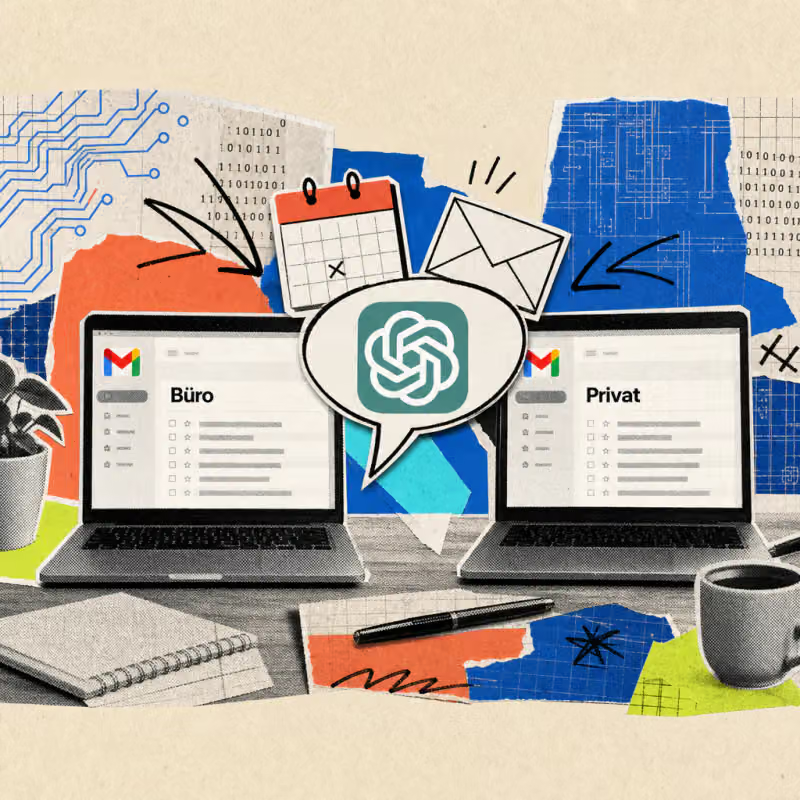
ChatGPT now connects multiple Google accounts simultaneously: Those who have already linked the programs Gmail, Calendar, or Contacts can add a second or third account since August 28, 2026. This allows business and personal mailboxes to be queried together in a single chat for the first time.
A paid ChatGPT account from the Plus tier is required – the feature remains locked in the free plan.
ChatGPT now links two Google accounts in one chat
Until now, only a single Google account could be connected to the programs Gmail, Calendar, and Contacts in ChatGPT. Since August 28, 2026, a second or third account can be added, as 9to5Mac reports.
So, if someone has a business and a personal Google account, they no longer have to choose which one to connect for collaboration with ChatGPT. Both accounts will now run side by side in the same conversation.
The extension concerns the so-called Connectors, small interfaces through which ChatGPT accesses external programs like Gmail. Previously, only one connection was allowed per program; now, multiple accounts can be connected in parallel and queried in the same conversation.
OpenAI has not yet specified a fixed upper limit for the number of accounts. For office users, the combination of Gmail, Calendar, and Contacts is particularly important, as it covers the three most commonly used Google services in daily work.
Mailboxes and calendars come together in daily work
An example from the back office: A clerk is planning a business trip but has a personal dentist appointment scheduled for the same afternoon. Previously, she had to switch between two separate ChatGPT connections or check the personal calendar in a second app.
Now, a question like "What appointments do I have today in both calendars?" is enough, and ChatGPT directly compares job and personal calendars in the same conversation.
It works similarly with emails: If someone is searching for a specific message but can't remember whether it was in the company or personal inbox, they no longer have to search both accounts individually. A prompt like "Find the email from the shipping company regarding the delivery on Monday" searches both connected inboxes simultaneously.
Additionally, this function can be combined with another recent innovation: ChatGPT can now also edit Google Drive files directly in the chat, without the need to download and upload.
Those managing business spreadsheets in the company account and personal notes in their own Drive can work across account boundaries in a single window.
Access costs a subscription from the Plus tier
The new multiple connection feature is available exclusively to paying customers: ChatGPT Plus for around 23 euros per month, as well as Pro, Business, or Enterprise. In the free basic account, only a single Google account can still be linked.
The extension is available worldwide, including in Germany, on computers in the browser, in the desktop app, and in the mobile apps for iOS and Android.
Setting up the second account can be done in a few steps:
- Open ChatGPT settings and select the section for Apps or Connectors.
- Look for the existing connection to Gmail, Calendar, or Contacts.
- Choose the option to add another account via the gear icon next to the connection.
- Sign in with the second Google account and confirm access.
- Indicate in the chat, if necessary, which of the connected accounts is meant for a request.
Company accounts can restrict or completely block the feature through the admin settings of ChatGPT Enterprise and Business.
It will be crucial whether companies want to allow this linking of business and personal accounts at all, as once a business mailbox is connected to a personal AI account, customer data and internal appointments technically end up outside their own IT environment.
Those querying work emails or calendar entries via ChatGPT should check beforehand whether there is an internal approval or data protection policy for this. It remains open whether OpenAI will expand the multiple connection feature to other services like Google Drive or shared calendars for entire teams in the future.